Gold Star 3D Scanner Features
-
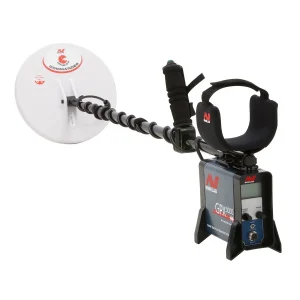
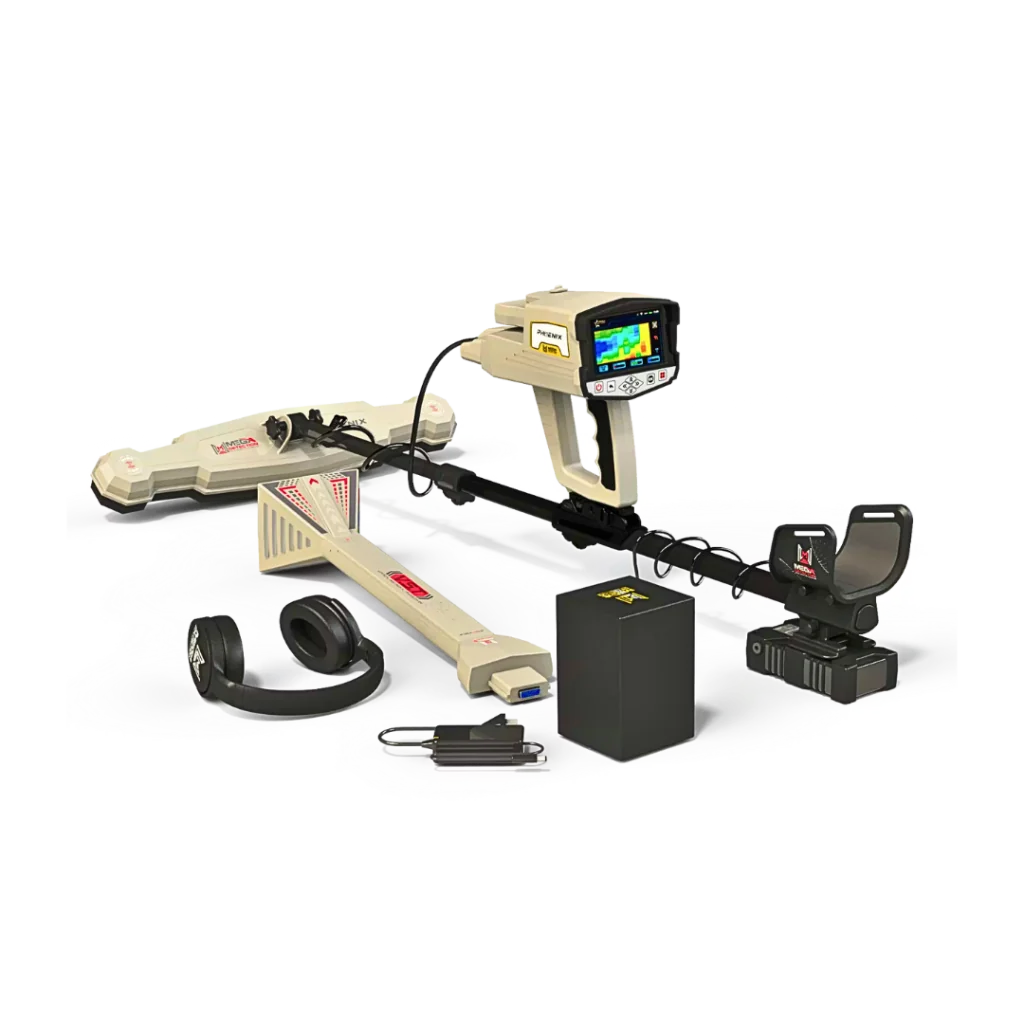
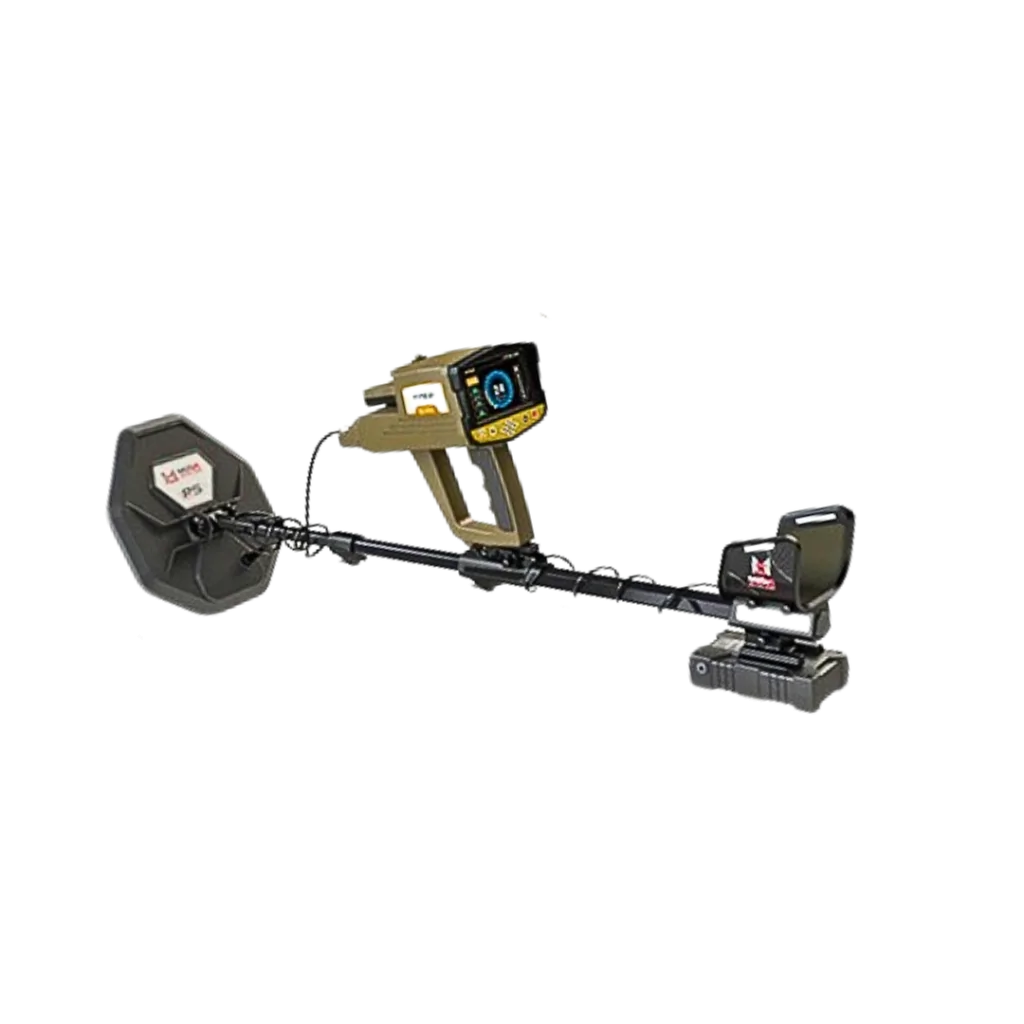
All-in-one professional detection system
An integrated multi-functional device that combines a high-performance metal detector and a 3D ground scanner in one unit, delivering accurate and reliable results in all types of terrain.
-
Modern, lightweight and ergonomic design
Designed with high-quality materials, offering an attractive appearance, light weight, and excellent comfort for long-hour field operations.
-
8 advanced search systems
Multiple professional detection modes with wide customization options to match different soil types, terrains, target metals, and search purposes.
-
Patented M.G.S 3D scanning technology
A completely new 3D ground imaging system using the Multi Ground Scanner (M.G.S) probe, providing wider ground coverage and more precise underground visualization.
-
Advanced 3D analysis on Android tablet
Comes with a powerful 3D analysis application that enables users to visually analyze targets, determine metal type, pinpoint exact location, and measure accurate depth.
-
Enhanced long-range detection system
Features improved long-range scanning technology with detection ranges up to 3000 meters and depth reach up to 50 meters.
-
Integrated multi-feedback system
Combines audio alerts, V.S.T LED light indicators, and visual results on screen or tablet to give a complete understanding of detected targets.
-
5-inch high-definition color display
Large HD LCD screen for easy settings adjustment, clear readings, and comfortable visual tracking of results.
-
Modern multilingual software
User-friendly operating system available in 12 international languages, allowing full control of detection systems, programs, depth and distance settings.
-
Powerful rechargeable battery system
Operated by an external rechargeable lithium-ion battery designed for long working hours depending on selected search mode.
Eight Gold Star Search Systems
1 – Manual Long-Range Gold Detection
The Manual Long-Range Locator system in Gold Star 3D Scanner introduces a new generation of long-range detection through the powerful I.M.T.U (Intelligent Multi Transceiver Unit) probe — a smart transceiver that actively searches for buried targets over vast distances.
This advanced probe emits high-frequency directional waves forward into the ground. When these waves intersect with magnetic fields released by underground metals, the reflected signals are captured by the dual antenna system, digitally processed inside the main unit, and transformed into visual data displayed clearly on the screen.
The result is a precise directional guidance system that leads the prospector straight toward the hidden target with exceptional accuracy.
Adjustable Scan Settings
Gold Star 3D Scanner allows full manual control over scanning parameters to match your exact search needs:
Target Selection
Choose the exact type of material you are searching for from a wide range of preset targets, including:
Gold Treasure – Gold Ore – Silver – Copper – Platinum – Bronze – Iron – Diamonds – Gemstones – Gold Veins – Cavities.
Distance Control
Define the forward scanning field up to 3000 meters, with selectable preset ranges:
250 – 500 – 750 – 1000 – 1250 – 1500 – 1750 – 2000 – 2250 – 2500 – 2750 – 3000 m.
Depth Control
Set the expected search depth precisely, reaching up to 50 meters, allowing the system to filter results for your chosen depth zone.
Intelligent Guidance Interface
Once your scan settings are selected, simply press Start Scan to activate the system.
The result screen provides a powerful navigation interface:
-
A digital compass shows your real-time geographic direction.
-
A directional angle scale guides antenna movement through precise angle readings.
-
A built-in inclination indicator ensures the device is held at the correct tilt — green for optimal scanning angles and red to warn of incorrect positioning.
This intelligent guidance system ensures that every movement brings you closer to your target with confidence and professional accuracy.
2 – Automatic Long-Range Target Detection
The Automatic Long-Range Locator system in Gold Star 3D Scanner delivers intelligent long-range scanning using the advanced I.M.T.U probe combined with directional long-range antennas to detect hidden targets across wide open areas with exceptional speed and precision.
This smart system is designed to automatically analyze received signals and identify potential buried metals without complex manual adjustments, making it ideal for surveying large terrains and unexplored lands.
Adjustable Scan Settings
Distance
Set the forward scanning range up to 3000 meters, allowing wide-area coverage to quickly locate potential targets.
Depth
Define the expected detection depth up to 50 meters, enabling the system to focus on deeper or shallower target zones with higher accuracy.
Intelligent Target Guidance
Once scanning begins, the antenna system automatically reacts to nearby targets by moving left or right.
On-screen visual bars guide the user in real time, displaying colored progress indicators ranging from green (weak signal) to red (strong signal), helping pinpoint the target’s direction.
Smart Target Probability Report
After completing the scan, the Report Screen presents a visual probability analysis of the detected target through four horizontal bars:
Each bar displays an estimated percentage that reflects the likelihood of the target’s material composition — giving the prospector a clearer, data-driven decision before moving to excavation.
3 – Custom-Frequency Long-Range Detection
The Control Long-Range Locator system in Gold Star 3D Scanner introduces a powerful level of precision by allowing the user to manually define the exact detection frequency used during the scan.
This advanced technology enables highly accurate targeting of specific metals or metal alloys by tuning the system to dedicated frequency values — ensuring cleaner signals, better selectivity, and more reliable results.
Customizable Scan Settings
Soil Type
Select the exact ground composition in your search area to optimize detection accuracy. Available soil profiles include:
Rock – Mixed – Neutral – Clay – Metallic – Sandy – Mineral – Chalky – Salty.
Frequency
Set a custom scanning frequency manually between 250 MHz and 5000 MHz, using predefined frequency steps for precise metal targeting.
Distance
Define a circular scanning field around your position up to 3000 meters, enabling controlled wide-area surveying.
Depth
Adjust the maximum target depth up to 50 meters, allowing the system to focus on shallow or deep buried targets.
Smart Guidance Interface
After selecting all parameters, simply press Start Scan to begin.
The results screen features:
This system is ideal for professionals who demand maximum control, refined metal selectivity, and superior long-range targeting performance.
4 – Advanced Ionic Target Detection
The Ionic System in Gold Star 3D Scanner introduces a revolutionary advancement in ionic field detection through the powerful I.M.T.U probe — a next-generation technology developed to outperform traditional ionic detection methods found in earlier devices.
This innovative system accurately detects ionic fields emitted by buried metallic targets and processes them digitally to deliver cleaner signals, higher precision, and more stable performance — even in complex ground conditions.
Adjustable Scan Controls
Sensitivity
Controls how strongly the device reacts to detected ionic signals.
Sensitivity values range from 0 to 100, allowing fine adjustment of audio response to match target size and distance.
Gain
Controls signal amplification level (0–100%).
-
Lower gain is recommended for large targets.
-
Higher gain is ideal for detecting small, deep, or weak signals.
Smart Visual & Audio Feedback
At the center of the screen, a dynamic circular indicator changes size and color based on target distance and signal type:
Simultaneously, the system generates variable audio tones whose pitch and intensity correspond to the target’s position and signal strength — guiding the user accurately toward the target.
5 – Sample-Guided Bionic Detection
The Bionic System works in a similar way to the Ionic System, using the Intelligent Multi Transceiver Unit (I.M.T.U.) to carry out the scanning process. The key difference is how the signal is sourced and how the search is performed.
In the Ionic System, the scan is generally open and non-specific—the device searches freely within the area for ionic fields without being “tuned” to a particular sample.
In the Bionic System, the search becomes target-guided. The device first captures ionic signatures from a real sample of the desired metal—for example, a gold ring or a coin. Once this reference signal is taken, the scan focuses on detecting similar ionic fields that may be coming from buried objects of the same metal type in the surrounding ground.
Bionic Scan Configuration
After you select Bionic mode and aim the I.M.T.U. at the reference sample, the device begins scanning in the direction you move. You can adjust the same core settings used in the Ionic System:
-
Sensitivity (0–100): Controls how responsive the device is to detected signals, helping you fine-tune detection and interpret audio output more clearly.
-
Gain (0–100): Adjusts signal amplification (overall signal strength), useful for balancing stability and detection response in different environments.
Bionic Target Results
The results screen displays:
-
Circular percentage indicators for Sensitivity and Gain on the left and right sides (similar to the Ionic interface).
-
A Signal Power indicator below, shown as bars that change in length and intensity based on the received signal.
-
A central circular target indicator that shifts in motion and color depending on the detected signal, using three possible colors (green, red, or blue) to reflect the target category.
Bionic Audio Target Feedback
The system also provides an audio tone that changes in pitch and intensity. As you get closer to the target or the signal becomes stronger, the sound becomes more pronounced—helping you judge direction and proximity during the scan.
6 – Live Stream Target Analysis
Live Stream is a real-time detection system designed to identify different ferrous and non-ferrous targets while you scan. Instead of showing results only after the scan, it delivers a continuous live transmission on the screen—displayed as a flowing color stream that helps indicate the likely target type.
The system can highlight signals linked to targets such as precious metals (e.g., gold or bronze), ferrous metals (e.g., iron), and cavities (such as tunnels or voids). Scanning is performed using a specialized probe called the Vertical High Signal Transceiver (V.S.T.). This probe is engineered for live signal capture, and its tip features a four-sided cone. On both sides of the cone, there are LED indicators that change color depending on the detected target—such as red for precious metal signals or blue for cavity/tunnel indications.
After proper calibration, the signals picked up by the V.S.T. are shown on the device screen as a continuous color stream. The color shifts based on the nature of the received signal—for example, red may represent a precious metal response, while green can indicate normal ground conditions. Alongside the color stream, the system also displays a numeric value associated with the detected signal to support interpretation.
In addition to the visual feedback, the device generates audio tones that vary depending on the target category, allowing you to combine sound and color for faster decisions during scanning.
For deeper analysis, users can also monitor the scan on the included tablet through the Mega Detection Multi Visual Analyzer app. The app presents the signal pattern as a graph, and the graph color changes in the same way as the main display—helping you visually compare signal behavior and better understand whether the response is more likely to be metal, ground effect, or a cavity.
7 – Professional 3D Ground Scanning
This advanced search system introduces a new generation of 3D ground scanning technology, engineered specifically for Mega Detection devices. Built around the latest developments in 3D visualization, it is designed to scan faster, cover more ground, and deliver clearer, more informative results.
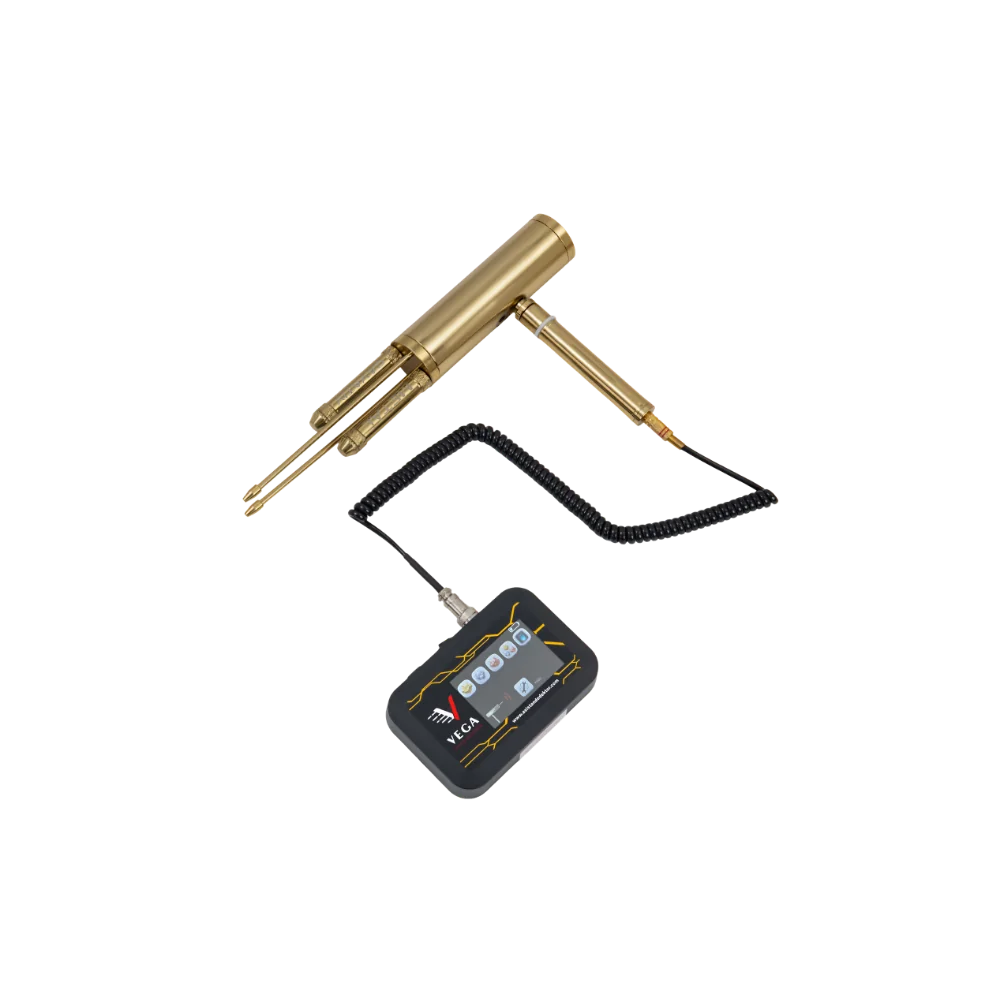
At the heart of the system is a powerful new probe called the Multi Ground Scanner (M.G.S.). It features four built-in sensors and a wide scanning surface, allowing it to capture more data with each pass. This means you can scan large areas more efficiently, reducing time and effort while improving overall accuracy.
The 3D Ground Scan mode helps users detect and visualize underground structures—such as burials, artifacts, and cavities—by converting scan data into a clear visual model. Results can be displayed directly on the device or on the included tablet, making interpretation easier and more precise.
Customizable 3D Scan Settings
1) Flexible Result Display
Choose where the scan visualization will appear:
2) Manual or Automatic Scanning
Select how measurements are recorded during the scan:
3) Adjustable Scan Path
Set your movement pattern while scanning:
-
One Direction: each scan line is recorded in the same direction, with a return to the start side and an offset to begin the next parallel line
-
Zig Zag: consecutive lines alternate direction, so the next line starts near the previous line’s endpoint
4) Custom Scan Grid Size
Define the scanning grid dimensions:
5) Flexible Scan Starting Point
Choose where the scanning grid begins:
Once these settings are confirmed, the Scan screen shows a summary of your selections. Press OK on the control panel to begin scanning.
Real-Time Ground Scan Results
As you move through the grid, each scan point appears on-screen as a 2D matrix (rows = scan points, columns = scan lines). Every cell is displayed in a color that represents the likely ground condition or target type.
Ground Scan Color Indicators
On the right side of the grid, the system also displays real-time scan values such as:
-
Current X (scan line number)
-
Current Y (scan point number)
-
Search value (signal measurement at that point)
After the scan is completed, the collected data can be saved to the device memory for later review and comparison.
Advanced Tablet 3D Visualization
If you choose tablet display, the same settings can be configured inside the Multi Visual Analyzer app. The device performs the scan in the same way, but the tablet shows results as a 3D graphic model, using the same color logic to represent what’s beneath the ground.
The app provides additional analysis tools to help users interpret results more accurately—supporting a clearer understanding of:
8 – Precise Pinpointer Target Location
This system is designed to confirm whether a metal target or an underground cavity is present—and to help pinpoint the exact location using clear audio and visual feedback. The scanning process is performed with the V.S.T. probe, which captures ground signals and displays them instantly on the screen.
Pinpointer Result Controls
1) Adjustable Pinpointer Sensitivity
During scanning, the Pinpointer mode produces a distinctive audio tone along with a live on-screen graph that indicates what is happening beneath the surface.
You can adjust the Sensitivity at any moment to better interpret the sound response and stabilize the visual graph, especially when soil conditions change.
2) Ground Calibration Control
This option allows you to calibrate the probe sensitivity to match the ground type and terrain. It is useful whenever the environment changes or the device becomes unstable due to mineralization or interference.
3) Quick Calibration Reset
Reset returns the calibration settings back to the default level, allowing you to restart with a clean baseline.
Pinpointer Signal Graph Analysis
The device displays received signals as a curved bar graph. The shape and direction of the bars help you understand the likely target type:
Metal Target Graph Signals
When the system detects a metal response, the graph appears as rectangles rising upward in varying heights. The colors typically shift from green to red at peak strength in the center, then fade back toward green as signal levels decrease.
Cavity Target Graph Signals
When the system detects a cavity response (such as a tunnel or void), the graph appears as rectangles pointing downward. At strongest values, the graph intensifies toward dark blue in the center, then transitions back toward green at lower signal levels.
Modern Gold Star Control Software
The Gold Star 3D Scanner user interface software is built using modern UI design standards and the latest interface technologies. It features a clean, attractive layout with a consistent color theme and clear graphical icons that present the device’s search systems, settings,
and options in a way that is easy to understand—whether you are a beginner or an experienced user.Every screen and control element has been developed with strong user experience (UX) principles in mind. The interface is designed to be flexible and intuitive,
allowing smooth navigation and quick access to key functions. At the same time, it provides precise control over values and settings across the different detection systems, helping users adjust the device efficiently and confidently in the field.










droversointeru –
Really superb visual appeal on this web site, I’d rate it 10 10.