

Information about metal detectors

How to Calibrate the Lorenz Deep Max Z2

How to Calibrate the Lorenz Deep Max Z2
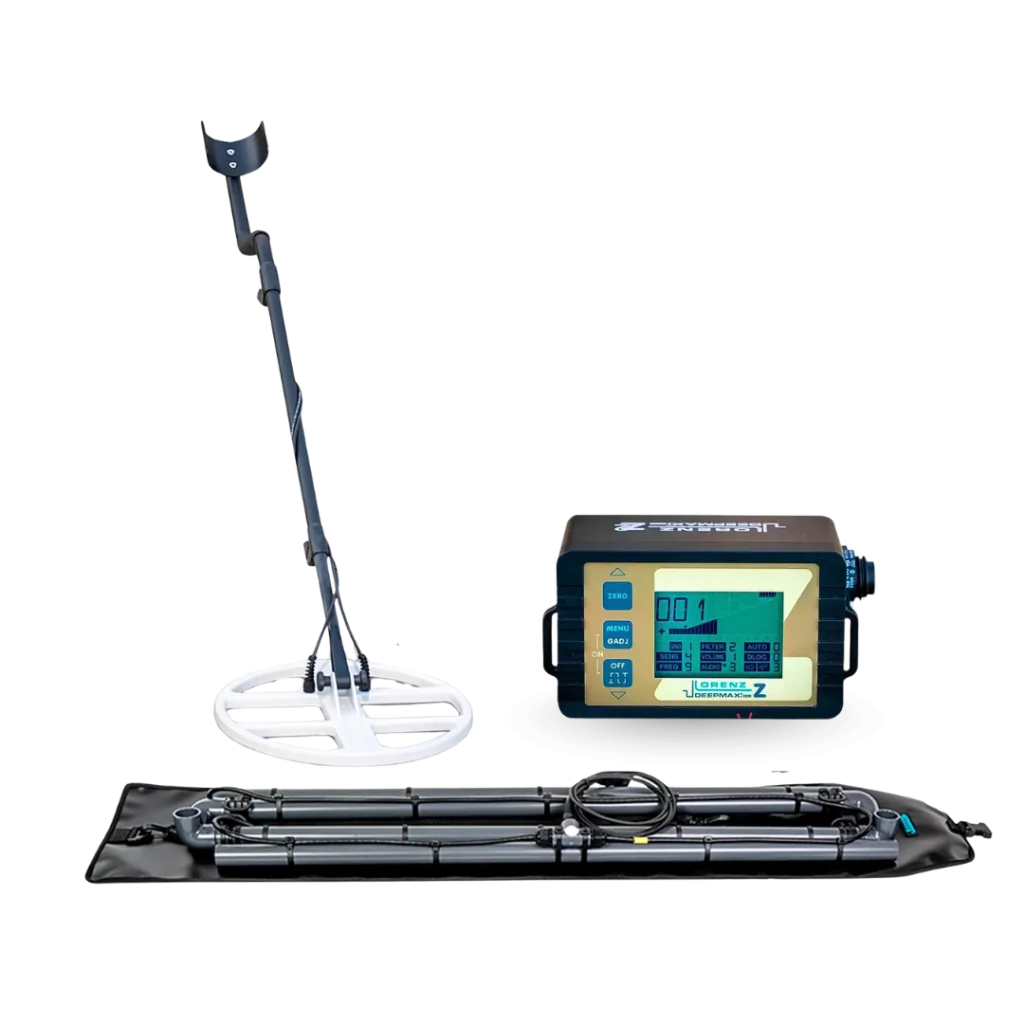
The Deep Max Z2 is considered one of the most powerful metal and treasure detectors in the world. However, "How to Calibrate the Lorenz Deep Max Z2" is the most advanced technologies require accurate setup to deliver ideal field performance.
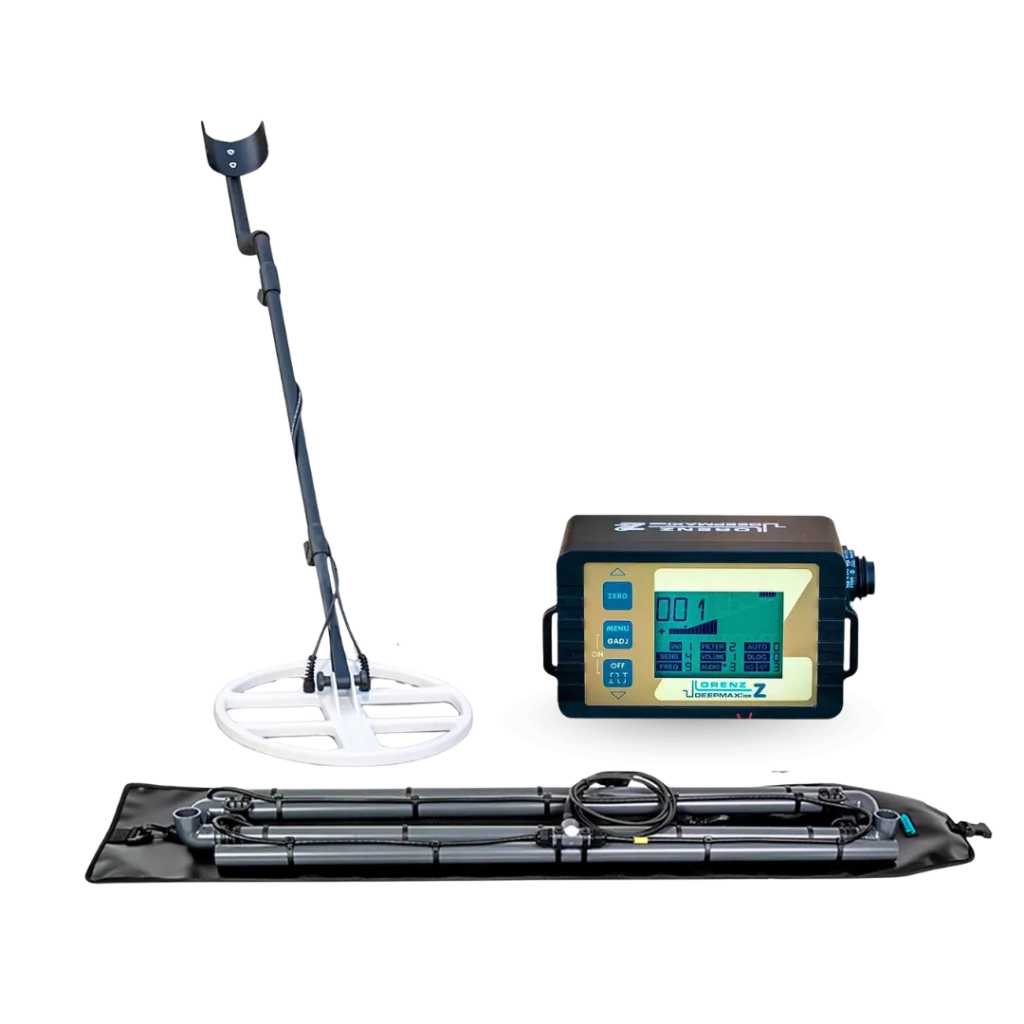
Prospectors often face a major challenge that is not related to the device’s efficiency, but to the nature of ground mineralization and hot rocks. These conditions can cause interference and false signals that waste valuable search time.

European Technology Group presents this simplified guide to explain how to calibrate the Deep Max Z2 correctly and easily.

Ground calibration is very important before using the device. It helps the detector ignore the effects of soil and mineralized rocks, reduces false signals, and makes the device’s sound more stable during the search.

When the calibration is correct, the device becomes quieter, and real signals become clearer.

How to Calibrate the Lorenz Deep Max Z2 Correctly

Calibrate the Lorenz Deep Max Z2 correctly with easy air and ground balance steps for mineralized soil, hot rocks, and clearer target signals. Learn More

How to Calibrate the Lorenz Deep Max Z2

What Is the Ground Calibration Method for the Deep Max Z2?

Ground calibration means adjusting the device according to the type of soil you are searching in.

Some types of ground are normal and easy to work on, while others are mineralized or contain hot rocks. These ground conditions may cause the device to produce false sounds, as if there is metal underground.

For this reason, ground balance must be performed before searching so the device can distinguish between the effect of the soil and a real metal target.

How to Calibrate the Lorenz Deep Max Z2

How to Calibrate the Lorenz Deep Max Z2

Before adjusting the Deep Max Z2, make sure of the following:

  • The battery is well charged.
  • The coil is installed correctly.
  • The area under the coil is free of metals.
  • Stay away from cars, wires, fences, phones, and keys.
  • Do not hold a phone or keys in your hand during calibration.
  • Keep the coil stable and horizontal.
  • Try not to move the coil when you perform the adjustment process.

These steps are very important. If calibration is performed over metal or near a source of interference, the result will be inaccurate.

Choosing the Right GND Mode-How to Calibrate the Lorenz Deep Max Z2

Before calibration, you must select a GND mode, not DEL mode.

Ground balance works only within GND modes. DEL mode is not designed for ground calibration.

Mode

Use


GND 1

Suitable for very high mineralization, but it may reduce sensitivity to small targets


GND 2

Suitable for many types of mineralized ground


GND 3

The ground mode cannot be adjusted manually


GND 4

Suitable for most situations and provides good stability


GND 5

A ground mode that cannot be adjusted manually


GND 6

Designed only for Double D coils and suitable for low to medium mineralized soil


In most cases, you can start with GND 2 or GND 4.

When the ground is very difficult and the device is unstable, you can try another mode.

 
How to Calibrate the Lorenz Deep Max Z2

How to Calibrate the Deep Max Z2 Using Automatic Ground Balance

Automatic ground balance is the easiest and fastest method.

It is recommended at the beginning of the search or when moving to a new location.

Steps How to Calibrate the Lorenz Deep Max Z2

  1. Choose the most suitable GND mode.
  2. Raise the coil about 1 to 2 meters above the ground.
  3. Keep the coil horizontal and stable.
  4. Press and hold the ZERO button until you hear a high tone.
  5. This stage is called air adjustment, and an upward arrow appears on the screen.
  6. After that, lower the coil and keep it close to the ground.
  7. If the ground is highly mineralized, leave a small distance between the coil and the ground.
  8. Press and hold the ZERO button again until you hear a deeper or lower tone.
  9. This stage is called ground adjustment, and a downward arrow appears on the screen.
  10. Do not move the coil during adjustment.
  11. After the second tone ends, the device is balanced with the ground and ready for searching.
How to Calibrate the Lorenz Deep Max Z2

How to Calibrate Deep Max Z2 Manual

Manual ground balance is used when you need more precise adjustment.

It is useful in difficult ground conditions or when false signals remain after automatic ground balancing.

Manual Ground Balance Steps

  1. Choose the suitable GND mode.
  2. Do not use DEL mode.
  3. Press and hold the MENU / GADJ button.
  4. You will enter the manual adjustment function, and symbols such as G1 or G2 will appear on the screen.
  5. Use the external buttons to adjust the value.
  6. Change the value gradually.
  7. The goal is to make the device quiet above the ground, without false signals caused by the soil.
  8. After finishing, press the MENU / GADJ button briefly to exit manual adjustment.

Button

Function

ZERO

Increases the balance value

OFF

Decreases the balance value

A short press changes the value by one step.

A long press changes the value by tens of steps.

Manual ground balance is available only with:

  • GND 1
  • GND 2
  • GND 4
  • GND 6
  • GND 3 and GND 5 cannot be adjusted manually.
How to Calibrate the Lorenz Deep Max Z2

How Do You Know That the Deep Max Z2 Calibration Is Correct?

The calibration is correct when:

  • The device sound becomes stable.
  • No false signals appear when the coil is raised or lowered slightly.
  • The background sound does not change strongly.
  • The device does not give repeated signals without a metal target.
  • The device becomes quiet above the ground.
  • If this happens, it means the device is well adjusted and you can start searching.
How to Calibrate the Lorenz Deep Max Z2

Signs and Warnings-How to Calibrate the Lorenz Deep Max Z2

The calibration may be incorrect if you notice these signs:

  • The device produces many sounds without any metal being present.
  • The background sound changes when the coil is raised or lowered.
  • The device gives signals only over the soil.
  • The device reacts strongly and annoyingly to mineralized rocks.
  • The signal disappears when you recalibrate in another location.
  • The device becomes unstable when sensitivity is increased.
  • If these signs appear, repeat the ground balance in an area free of metal.
How to Calibrate the Lorenz Deep Max Z2

What Should You Do If Signals Stay After Calibration?

If signals remain after ground balancing, there may be several possible reasons.

There may be metal under the coil.

The ground may be highly mineralized.

The selected GND mode may not be suitable.

The coil may be too close to difficult ground.

There may be interference near the device.

The solution is to recalibrate in another area that does not contain metal.

If the problem continues, try another GND mode.

In difficult ground conditions, ground balance can be repeated more than once during the search.

How to Calibrate the Lorenz Deep Max Z2

How to Calibrate the Lorenz Deep Max Z2- Recommendations

European Technology Group recommends following these tips to get the best performance from the Deep Max Z2:

  • Always start with automatic ground balance before searching.
  • Repeat the ground balance when changing location or when the soil type changes.
  • Use manual ground balance when the ground is difficult or unstable.
  • Do not increase sensitivity excessively in mineralized ground.
  • Always make sure the calibration place is free of metal objects.
  • Do not move the coil while the adjustment process.
  • Try more than one GND mode until you reach the best stability.

Use the coil that matches the nature of your search. Large coils provide greater depth, but they may be more affected by mineralized soil. Smaller coils may be easier to control in some difficult ground conditions.

How to Calibrate the Lorenz Deep Max Z2

Important Note About the Deep Max Z2 Response

There is no single fixed value that suits all types of ground.

The device response varies depending on:

  • Soil type.
  • Degree of mineralization.
  • Type of coil used.
  • Target size.
  • Target depth.
  • Level of interference in the area.

For this reason, the device should be tested in the same search location, and one setting should not be used for all areas.

How to Calibrate the Lorenz Deep Max Z2

Final Thoughts on How to Calibrate the Lorenz Deep Max Z2

The correct Deep Max Z2 calibration method always starts with choosing the best GND mode.

Do not use the DEL mode for ground calibration.

Perform air adjustment first, then ground adjustment.

Do not move the coil during calibration.

Make sure the area is free of metal.

Repeat the ground balance if the soil changes or false signals appear.

European Technology Group confirms that correct ground balance adjustment helps reduce false signals, improves device stability, and makes real targets clearer during the search.

Frequently Asked Questions


Calibrating the Lorenz Deep Max Z2 helps the device ignore soil effects, reduce false signals, and improve stability during the search.

You should calibrate the Deep Max Z2 before starting the search, when moving to a new location, or when the soil type changes.

Ground calibration means adjusting the detector according to the soil type so it can distinguish between ground mineralization and real metal targets.

Conclusion- How to Calibrate the Lorenz Deep Max Z2 Key Calibration Rules

Finally, Choose the right mode:

  • Always use GND modes for ground balance, and completely avoid using DEL mode.

  • Follow the correct sequence: Always start with air adjustment then move to ground adjustment.

  • Keep complete stability: Avoid moving the search coil during the calibration process.

  • Use a clean adjustment area: Make absolutely sure the calibration place is free of any underground metal targets.

And finally, Stay flexible and update the balance: Repeat the balance immediately while moving to a different soil type or if false signals start to appear.

Contact the company today to ensure the best results.

  • Groundtech GR-4 and Groundtech GR-4 Dual Detectors
  • well water detector Comparison Guide
  • underground water detector Comparison

Leave a Reply

Your email address will not be published. Required fields are marked *

Happy Customers

Our goal is to keep satisfaction with our customers. If you have any questions or concerns with your orders or any products we sell, you can call us toll free at 491-57-3733-8870 or use the contact us form.

Secure Shopping

To provide credit card security and keep your personal information safe, we use Secure Sockets Layer (SSL) technology, the most widely used data encryption coding system for secure e-commerce transactions.

Free Shipping

Receive an order confirmation, track your shipment, and contact our customer service if you have any questions or need assistance. All products are delivered to you for FREE anywhere World Wide

Premium Items

We are authorized Most Gold & metal Detectors companies resellers. We only sell authentic and genuine products and we never sell imitation products.

Start typing to see products you are looking for.
Shopping cart
Sign in

No account yet?

Shop
0 Wishlist
0 items Cart